
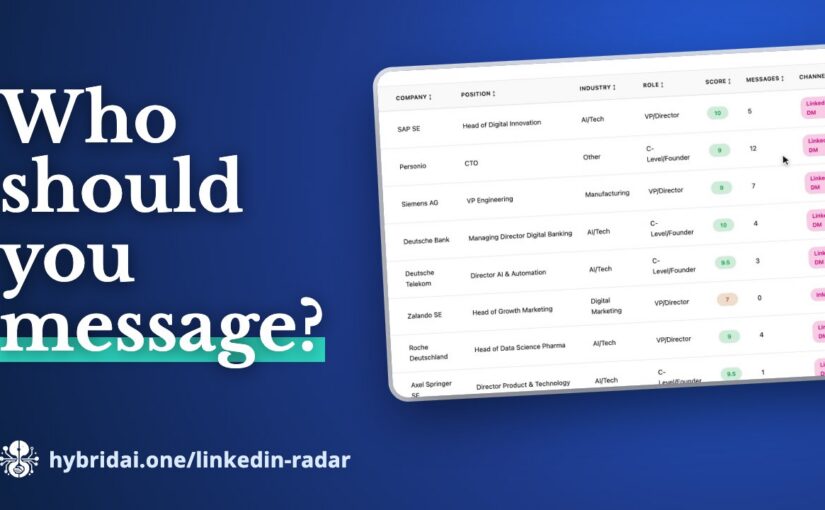
Most of us have a few hundred, often a few thousand LinkedIn connections. Former colleagues, past customers, people we met at a conference – and a surprising number who today make decisions exactly where our offer fits. The problem is not that these contacts are missing. The problem is that we cannot see them.
LinkedIn itself does not help much. You can scroll through your connections, but you cannot sort them by who is relevant for a specific offer, who you have already talked to, or who has gone quiet for two years. That is what we built the LinkedIn Network Radar for.
Your export as the starting point
LinkedIn lets everyone download a copy of their own data (Settings → Data privacy → “Get a copy of your data”). You drop that ZIP file into the radar. The analysis runs entirely in your browser – your contact data is not uploaded to a server for it. If you just want to look around first, you can start with the tool’s demo data, without an export and without signing up.
Before the dashboard is built, you tell the radar what it is about: what you offer, and which industries and positions you want to reach. Everything else follows from that – the score of every contact as well as the messages.
From a network to segments
The dashboard first shows where you stand: how many contacts you have, how many you have exchanged messages with, and how many count as high-value targets. Below that, your network is broken down by industry and position.
The outreach segments are where it gets interesting. The radar sorts your contacts into groups you can work with right away:
- Hot leads – highly scored and already in touch,
- Decision makers – C-level and VP level with high relevance,
- Dormant contacts – relevant, but never messaged,
- Warm intros – contacts with a recommendation or endorsement.
One click on a segment filters the contact list. Every contact has a relevance score from 1 to 10, a relationship strength and the right channel.
The first message is already written
The part that saves the most time day to day: click a contact and the message is ready – with the right template, addressed personally, in English or German. There are templates for re-activation, cold intro, follow-up and warm intro; adjust them once and they apply to every contact. You can copy the message or open it straight in your mail client.
You collect contacts in your own lists, such as “Decision makers Q4”, and export them as CSV or as an email list.
Your network as a skill for your AI assistant
One button is easy to miss, but it may be the most important one: Create LLM skill. It packs your analysed network into a ZIP – with a SKILL.md, the enriched contacts, a search script and a tool definition. With it, an AI assistant knows your LinkedIn network and can answer questions like “Which C-level contacts do I have in finance?”.
That way you can – if you want to – bring your network into our own assistants too: into HybridClaw, Hy or the Sales Companion. With your contacts there, you can ask the assistant before a meeting who you know at a company, or have it put together a list for your next campaign.
For quick questions, the radar also has a network assistant: “Which decision makers do I have at banks?” – and the answer comes from your own contacts.
Try it
The LinkedIn Network Radar is part of the HybridAI Enterprise Assistant, and you can try it with demo data right in your browser: hybridai.one/linkedin-radar.